


Everyone is talking about AI tools. But nobody is telling you the honest truth about which free ones are actually worth your time.
- The 7 Free AI Tools I Tested
- 1. ChatGPT Free – The Reliable All-Rounder
- 2. Claude Free – The Best Writer in the Room
- 3. Google Gemini Free — The Google User’s Best Friend
- 4. Perplexity AI Free — The Research Tool That Changed My Workflow
- 5. Canva AI Free — Powerful But the Best Bits Cost Money
- 6. Google NotebookLM — The Hidden Gem Nobody Talks About
- 7. Microsoft Copilot Free — Decent, but Living in ChatGPT’s Shadow
- My Recommended Free AI Stack for 2026
- What I Will Pay For (And What I Will Not)
I spent 30 days using only the free versions of 7 popular AI tools – no paid plans, no trials, no shortcuts.
I used them for real tasks: writing blog posts, doing research, creating images, editing content, and managing my daily workflow.
And to be honest, some surprised me. Some frustrated me. One I nearly deleted on day three (spoiler: I kept it).
Without any more spoilers let’s get into it and find what I get to know from my real testing experience.
Before I share results, here’s how I judged each tool:
Actual free tier limit – not the marketing version, the real one
Quality of output – is it usable without heavy editing?
Daily usefulness – would I actually reach for this tomorrow?
Frustration level – how aggressively does it push paid upgrades?
Best use case – what is it genuinely good for?
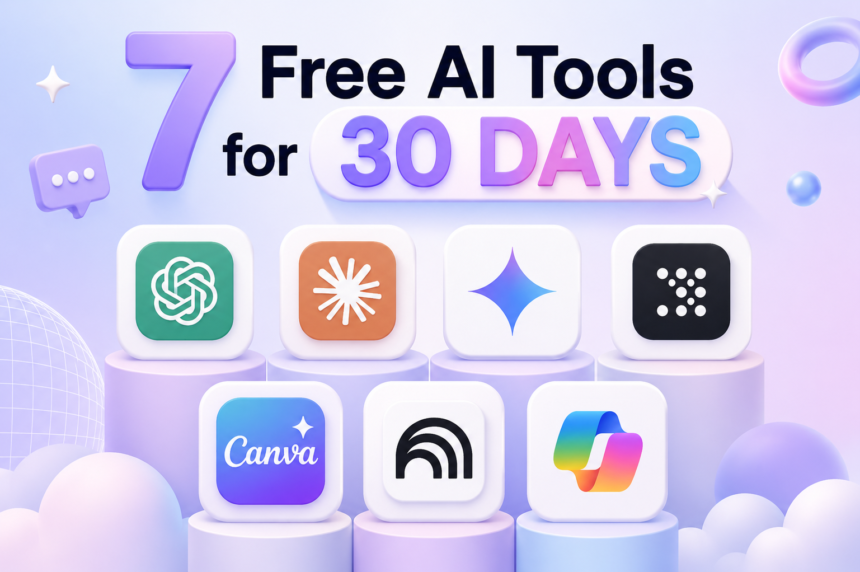
I tested all 7 tools on the same set of tasks each week: writing a 500-word article draft, summarising a long document, answering a research question, and creating or editing some kind of visual. Below are that 7 tools:
The 7 Free AI Tools I Tested
- ChatGPT (Free)
- Claude (Free)
- Google Gemini (Free)
- Perplexity AI (Free)
- Canva AI (Free)
- Google NotebookLM (Free)
- Microsoft Copilot (Free)
Let’s go through them one by one so we can know are they actually that useful for us if yes so what tasks can you perform by them
1. ChatGPT Free – The Reliable All-Rounder
Free tier: ChatGPT’s most recent and latest model is GPT-5.5. OpenAI describes GPT-5.5 as its most capable and advanced model, especially for reasoning, coding, research, and multi-step tasks.
For Free plan users:
• 10 messages every 5 hours using GPT-5.5 Instant.
• After you reach the limit, ChatGPT may automatically switch to a lighter model until your limit resets.
• The fallback model is typically a mini model (often referred to as GPT-4o mini).
Best for: General questions, drafting emails, brainstorming, quick coding help
ChatGPT is the one everyone starts with, and honestly, there is a reason for that. The free version is genuinely useful. GPT-4o mini handles most everyday tasks without blinking – writing, summarising, answering questions – and it is fast.
Where it struggled: with very recent events if it does not have access to up-to-date sources. The free tier does not always browse the web reliably, and I caught it confidently giving me outdated information twice in 30 days. Always double-check facts from ChatGPT free.
The daily message cap on the better GPT-5.5 model is also annoying if you use it heavily. By afternoon most days, I had already hit the limit and was back on the weaker mini model.
My opinion: I’d give the free version of ChatGPT an 8.5/10. It’s surprisingly good for a free tool and gives access to GPT-5.5, which is great for studying, coding, writing, and general problem-solving. The main downside is the message limit—once you hit it, you’re switched to a lighter model. It can also make mistakes sometimes, so I wouldn’t blindly trust every answer. Overall, it’s more than enough for most people.
If you find ChatGPT’s free limits too restrictive, I’ve put together a detailed guide on the best ChatGPT alternatives in 2026 — tested and ranked for every use case.
One thing I noticed: The free version now shows more upgrade prompts than it did six months ago. It is not intrusive, but it is there.
2. Claude Free – The Best Writer in the Room
Free tier: Claude’s latest models include Opus 4.8, Sonnet 4.6, and Haiku 4.5.
Claude Sonnet 4.6 is the main model available. Usage is message-based and dynamic, not fixed. The exact limit depends on demand, conversation length, attachments, and system load. When you hit the limit, you’ll typically need to wait for your quota to refresh or upgrade to Pro.
Free users generally do not get access to premium models like Opus 4.8
Best for: Long-form writing, editing, Natural conversation, Research assistance, content that needs to sound human.
This one surprised me the most. Claude’s free tier produced noticeably better writing than any other tool I tested. When I gave it a rough blog outline and asked it to draft a section, the output was cleaner, more natural, and required less editing than the same task on ChatGPT or Gemini.
The 200,000 token context window on the free plan is also massive — I uploaded a 40-page PDF and asked it to summarise the key points. It handled it perfectly in one go.
The downside is the daily limit. If you are a heavy user, you will hit the ceiling before lunch. The tool also will not tell you exactly how many messages you have left, which gets frustrating.
My opinion: 9/10 for writing tasks. In my experience, this is where Claude really stands out. If I’m working on articles, emails, reports, or any kind of long-form writing, this is where I’d spend my free messages. I find it works best when used deliberately for writing-focused tasks rather than casual chatting.
Real test I ran: I gave both Claude and ChatGPT the same brief: “Write a 400-word intro for a blog about AI tools for Indian freelancers.” Claude’s version needed about 10% editing. ChatGPT’s needed closer to 35%.
A casual comparison:
ChatGPT Free: Limited GPT-5.5 messages, then falls back to a lighter model.
Claude Free: Access to Sonnet 4.6, but with a dynamic usage cap. Once you hit the limit, Claude usually asks you to wait until your quota resets rather than switching models.
3. Google Gemini Free — The Google User’s Best Friend
Free tier: Unlimited messages on Gemini Pro. No daily cap. Free with any Google account.
Best for: Gemini is best for instantly analyzing and searching massive documents, codebases, and videos all at once due to its industry-leading long-context window.
It natively connects to Gmail, Google Docs, Drive, Maps, and YouTube. I asked, “Find the flight confirmation email from my mom and draft a response asking if she needs a ride from the airport based on my Google Calendar”
Gemini’s biggest advantage is that it is the only tool here with zero daily cap on the free plan. You can use it all day and it never throttles you. For someone who wants to just use AI without worrying about limits, that alone is valuable.
The Google integration is also genuinely useful. I asked Gemini to summarise a long YouTube video and it did it in seconds. I asked it to help me draft a reply to an email while looking at the email content and it worked seamlessly inside Gmail.
Where it falls short: raw writing quality. When I compared outputs side by side, Gemini’s writing felt slightly more generic than Claude’s and slightly less direct than ChatGPT’s. It is good — just not the best.
My Opinion: 8/10 for Google users. 6/10 if you live outside the Google ecosystem. The unlimited free tier is its killer feature.
4. Perplexity AI Free — The Research Tool That Changed My Workflow
Free tier: Unlimited standard searches + 5 Pro searches per day (Pro searches use better models and deeper web scraping)
Best for: Research, fact-checking, finding current information with sources
I will be honest — I did not expect much from Perplexity. I thought it was just a fancier Google. I was wrong.
Perplexity has fundamentally changed how I research topics for articles. Instead of opening 8 browser tabs, I ask Perplexity one question and it gives me a synthesised answer with numbered source citations I can click to verify. Every claim has a source attached to it.
For The Tech Turtle specifically — a site that writes about AI tools and tech news — this is incredibly valuable. I can research a new tool, check recent news, and verify claims all in one interface.
The 5 Pro searches per day limit on the free plan is the real constraint. Pro searches are noticeably better — deeper, more accurate, better sources. I found myself rationing them like precious resources, saving them for the most important research tasks of the day.
My verdict: 9/10. Mandatory if you write content or do any kind of research. The free tier is genuinely useful, not a stripped-down demo.
Pro tip: Use standard free searches for general background research. Save your 5 daily Pro searches for the specific claims you need to fact-check before publishing.
5. Canva AI Free — Powerful But the Best Bits Cost Money
Free tier: Text-to-image generation with limited credits, AI background remover, Magic Write (basic), AI image editing
Best for: Social media graphics, blog thumbnails, basic design with AI assistance
Canva AI is where I had the most complicated feelings during this test. The tool is excellent. The free AI features are genuinely useful for creating blog images, social media posts, and thumbnails. The AI background remover alone saves significant time.
But here is the reality: Canva aggressively gates its best AI features behind the Pro plan. The most powerful image generation tools, the best AI design suggestions, and the “Magic Studio” features all prompt you to upgrade. In 30 days of testing, I hit an upgrade wall at least once every two days.
What you actually get for free is still decent: basic AI image generation, some background removal, AI text suggestions, and thousands of templates. For a blogger creating thumbnails and social posts, it is enough — just do not expect to unlock the full potential without paying.
My verdict: 6.5/10 on the free tier. Great tool, honest frustration with how aggressively it pushes paid features. Worth using for design — just set realistic expectations.
6. Google NotebookLM — The Hidden Gem Nobody Talks About
Free tier: Fully free. Upload up to 50 sources per notebook. Audio Overview feature included.
Best for: Researching specific topics from your own documents, creating study guides, understanding long content
NotebookLM is completely free and almost nobody talks about it. This is the one that genuinely shocked me during testing.
Here is what it does: you upload your own documents, PDFs, articles, or links, and it creates a private AI that only knows what you uploaded. You can then ask it questions, request summaries, generate study guides, and even create an “Audio Overview” — a surprisingly natural-sounding podcast-style audio discussion of your source material.
I used it for a specific tech article I was writing. I uploaded five long research papers and three product documentation pages, then had a conversation with NotebookLM about the topic. The quality of answers, all grounded specifically in my sources with page references, was remarkable.
The limitation is that it only knows what you give it. It cannot browse the web or answer questions outside your uploaded sources.
My verdict: 9.5/10 for research and content creation. Completely underrated. If you write content regularly, start using this today. It is entirely free with no catch.
7. Microsoft Copilot Free — Decent, but Living in ChatGPT’s Shadow
Free tier: GPT-4o access via Bing integration. Unlimited daily messages. DALL-E 3 image generation (limited daily credits).
Best for: Quick questions with web browsing, free image generation, Office document assistance
Microsoft Copilot is interesting because it gives you access to GPT-4o level capability for free with built-in web browsing — something ChatGPT free does not always offer reliably. Every answer comes with web sources, similar to Perplexity.
The DALL-E 3 image generation through Bing Image Creator is also genuinely impressive. I generated over 40 images for free during this test at a quality level that rivals paid tools. If you need AI images for your blog and do not want to pay, this is your answer.
Where Copilot falls short is personality and writing quality. The outputs feel slightly corporate and safe compared to Claude or even ChatGPT. It never wrote anything bad — it just never wrote anything that felt fresh or distinctive either.
My verdict: 7/10. Underused by most people. The free image generation alone makes it worth having in your toolkit, even if you use another tool as your main AI assistant.
Head-to-Head Comparison Table
| Tool | Free Limit | Writing Quality | Research | Images | Frustration Level |
| ChatGPT | ~10 GPT-5.5 msgs / 5 hrs | ★★★★☆ | ★★★☆☆ | Limited | Medium |
| Claude | Daily limit (resets 24h) | ★★★★★ | ★★★★☆ | None | Low |
| Gemini | Unlimited | ★★★☆☆ | ★★★★☆ | Basic | Very Low |
| Perplexity | 5 Pro searches / day | ★★★☆☆ | ★★★★★ | None | Low |
| Canva AI | Limited credits | ★★★☆☆ | None | ★★★★☆ | High |
| NotebookLM | Fully free | ★★★★☆ | ★★★★★ | None | Very Low |
| Copilot | Unlimited + image credits | ★★★☆☆ | ★★★★☆ | ★★★★★ | Low |
My Recommended Free AI Stack for 2026
After 30 days, here is exactly what I kept using and why:
For writing: Claude free. Use it for your most important writing tasks of the day. Treat your daily message allowance as a limited resource — spend it carefully on work that matters.
For research: Perplexity free + NotebookLM together. Perplexity for real-time web research with sources. NotebookLM for going deep into specific documents you have collected.
For images: Microsoft Copilot (Bing Image Creator). Fully free DALL-E 3 quality with no credit card. This is the single most underrated free AI tool in 2026.
For Google users: Add Gemini to the mix for anything connected to your Gmail, Docs, or YouTube workflow. The unlimited free tier is too good to ignore.
Total monthly cost of this stack: 0.
I’ve also covered the best AI tools to make money as a content creator in 2026, including both free and paid picks worth investing in.
What I Will Pay For (And What I Will Not)
After this experiment, the only tools where I would personally consider a paid plan are:
- Claude Pro — if I write professionally every day, the daily limit on the free tier would genuinely block my workflow
- Perplexity Pro — if I do heavy research daily, the 5 Pro searches per day restriction is a real bottleneck
Everything else? The free tiers are enough for most people’s real needs.
Final Thoughts
The honest takeaway from 30 days of testing is this: the free AI tools available in 2026 are better than the paid tools were just two years ago. You can build a complete, professional-grade AI workflow without spending a single rupee.
The key is not picking one tool and using it for everything. Each of these tools has a specific strength. Use them accordingly, stay within their limits intelligently, and you will be surprised how much you can get done.
If you are just starting out and want one recommendation: start with Claude for writing and Perplexity for research. Those two tools together cover 80% of what most content creators, students, and professionals actually need from AI.
Frequently Asked Questions
Which free AI tool is best for students in India?
Google Gemini for research and note-making (unlimited, free, works with Google Docs), and NotebookLM for studying from your own material. Both are completely free with no payment required.
Is Claude better than ChatGPT on the free plan?
For writing quality, yes — Claude produces noticeably more natural and well-structured text. For breadth of tasks and fewer daily limits, ChatGPT free has the edge.
Can I use these AI tools for commercial work on the free plans?
ChatGPT, Claude, Gemini, and Microsoft Copilot all permit commercial use of content created on their free tiers. Always check each tool’s current terms of service, as these can change.
Which free AI tool has the highest daily limit?
Google Gemini has no daily message limit on the free plan — you can use it as much as you want. Microsoft Copilot also has very generous free limits.
Is Perplexity actually free?
Yes. You get unlimited standard searches every day at no cost. The 5 daily Pro search limit applies only to the more powerful deep-search mode.
Have you tried any of these tools? Let me know in the comments which one surprised you the most — I’m particularly curious whether others find NotebookLM as underrated as I do.
— The Tech Turtle